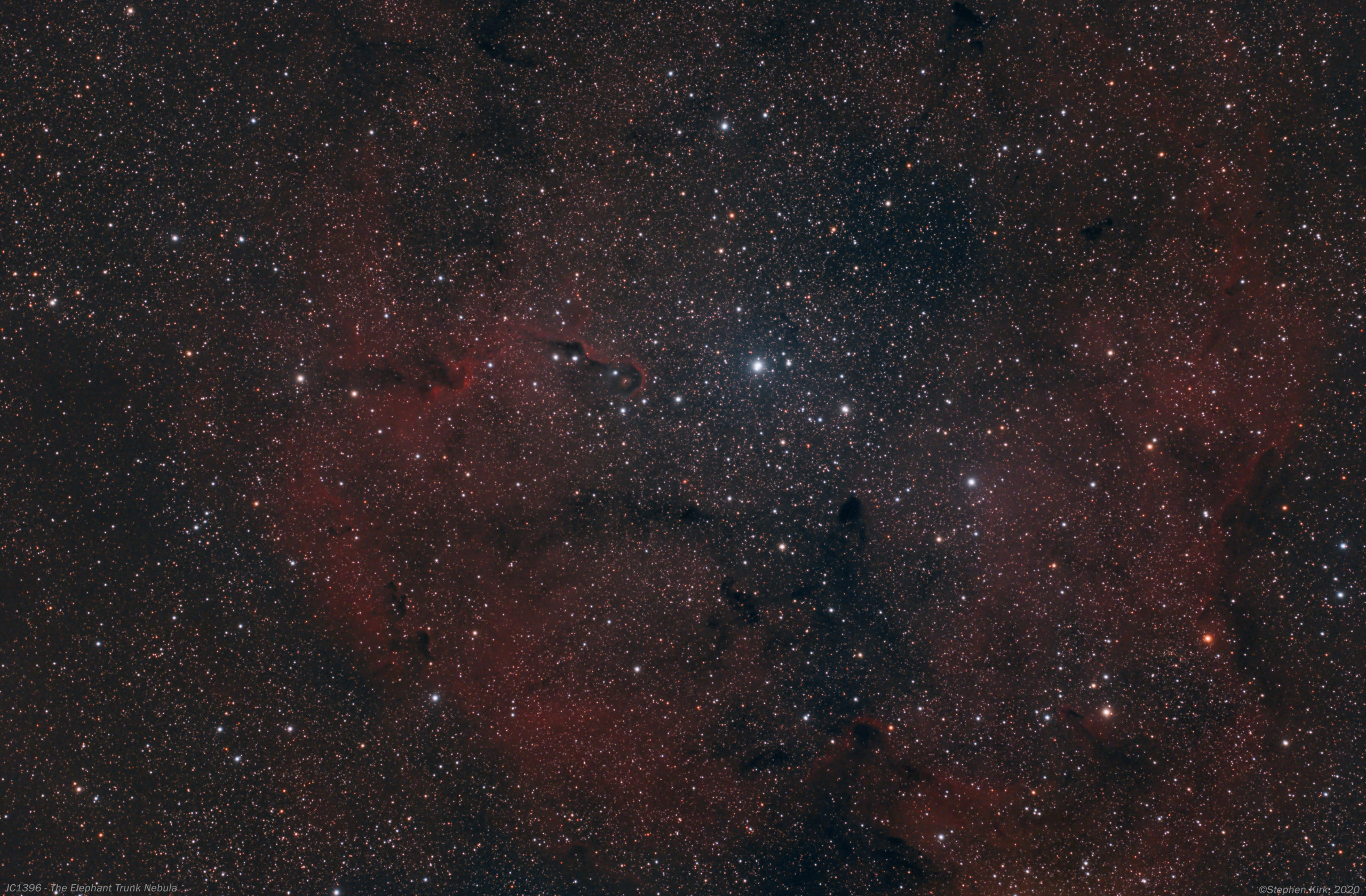
IC1396 - Elephant Trunk Nebula

I have imaged IC1396 before. It passes directly overhead at my location in Nottingham, UK.
Imaged here on 14-15 October 2020 with FSQ85 refractor and QHY268C OSC camera on MESU 200 mount.
A total of 55 x 240s exposures. Developed in PixInsight and Photoshop CC. Image capture with Sequence Generator Pro.


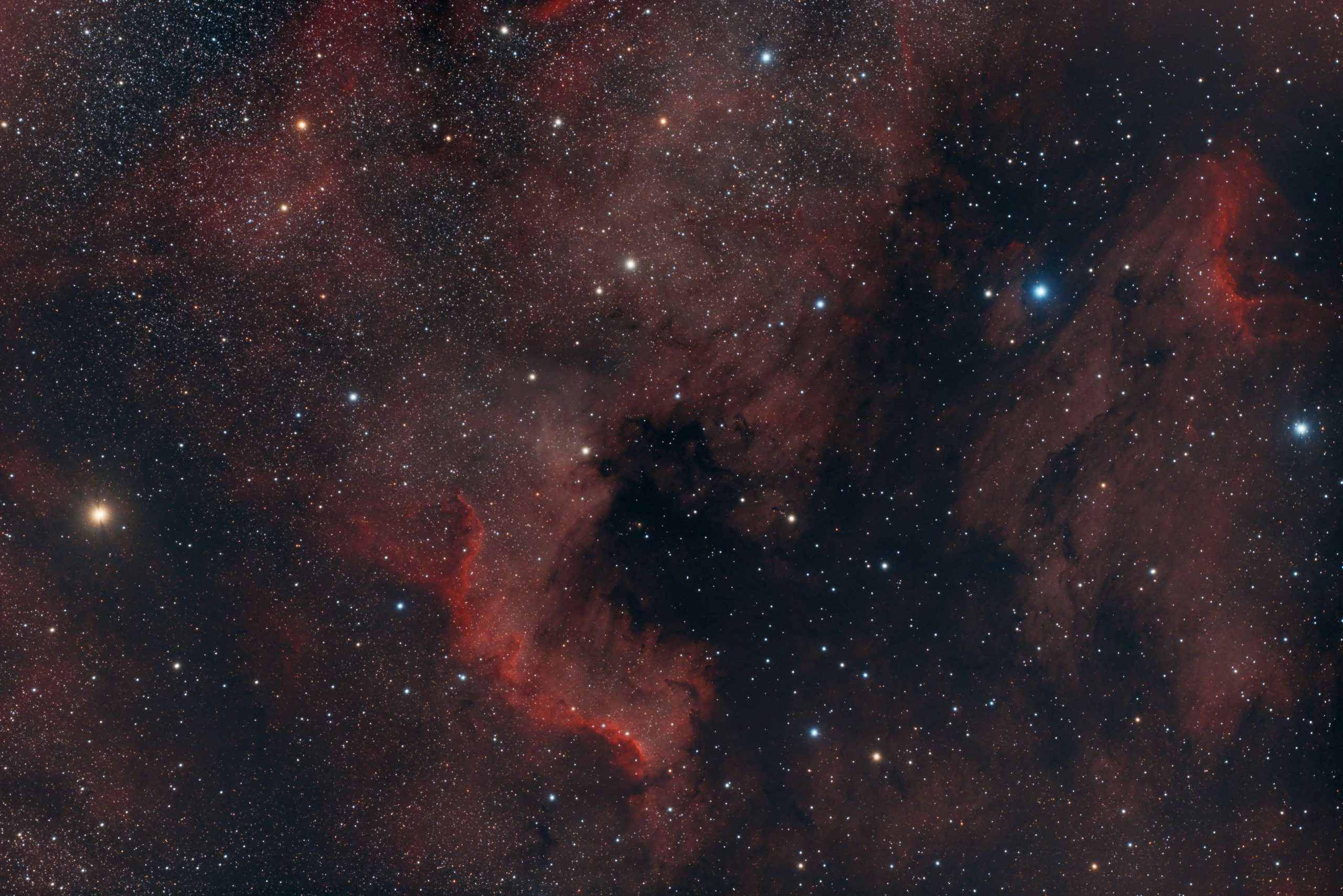
First Light Image From QHY268C and FSQ85

Full Size Image here (opens in a new tab).
This my first semi-completed image from the QHY268C and so far I am impressed with its performance. I discuss unboxing the camera and also how I connect it to the FSQ85 in other posts on my site.
This image - above - of The North American and Pelican Nebulae is a stack of 47 x 180s exposures at Gain 0 and Offset 30 at -15C on my Takahashi FSQ85. This is my first deep-sky CMOS camera and I had to research how to preprocess the data from the camera and I will discuss this in another post.
Since I acquired the camera and in keeping with the "new gear curse", I have been constantly frustrated by wet weather and cloudy skies for almost a month. The 47 exposures for this image were spread out over about seven imaging sessions, sometimes with as few as four exposures per session, such as been cloudy nature of the skies of late where I live - Nottingham, UK. I'd set up, get everything running and then it would cloud over.

I'm really happy how clean the images look as you can see from the single 180 exposure above. Very little processing work is needed to bring out the detail in good data. I was a bit concerned initially about the visual appearance of the master dark but it did the job of removing the artefacts in the lights.
Below is an annotated version of the main picture at top.

The relatively large APS-C sensor, 16-bit resolution and high pixel count, allied to very low noise and zero amp glow make this camera an incredibly powerful proposition. I understandf QHY and ZWO are about to release a mono version of this camera shortly.
I think it is not unreasonable to say the era of CCD in amateur photography is pretty much over with these incredibly powerful and cost effective CMOS cameras being released nowadays (Oct 2020).
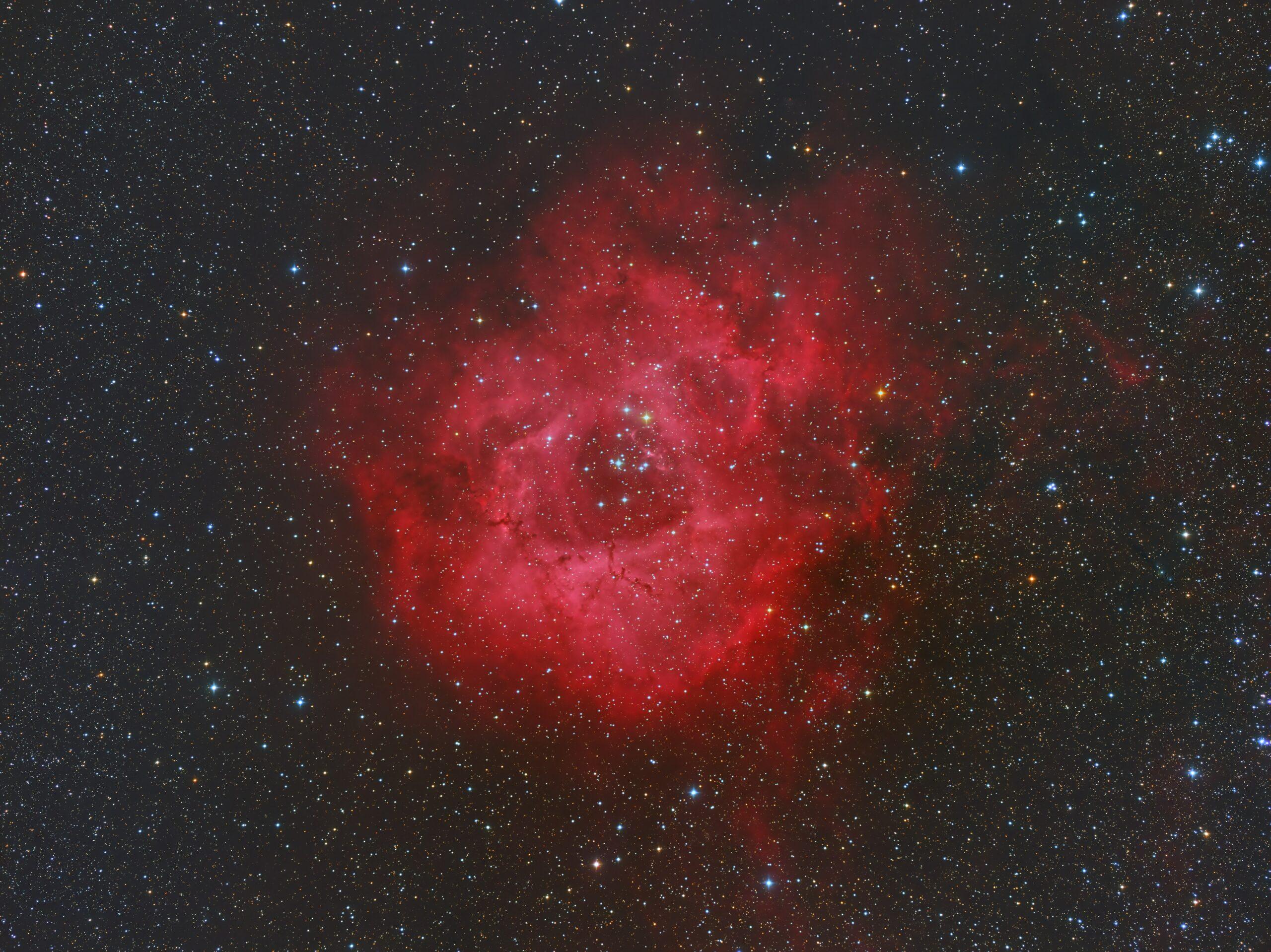
The Rosette Nebula FSQ85
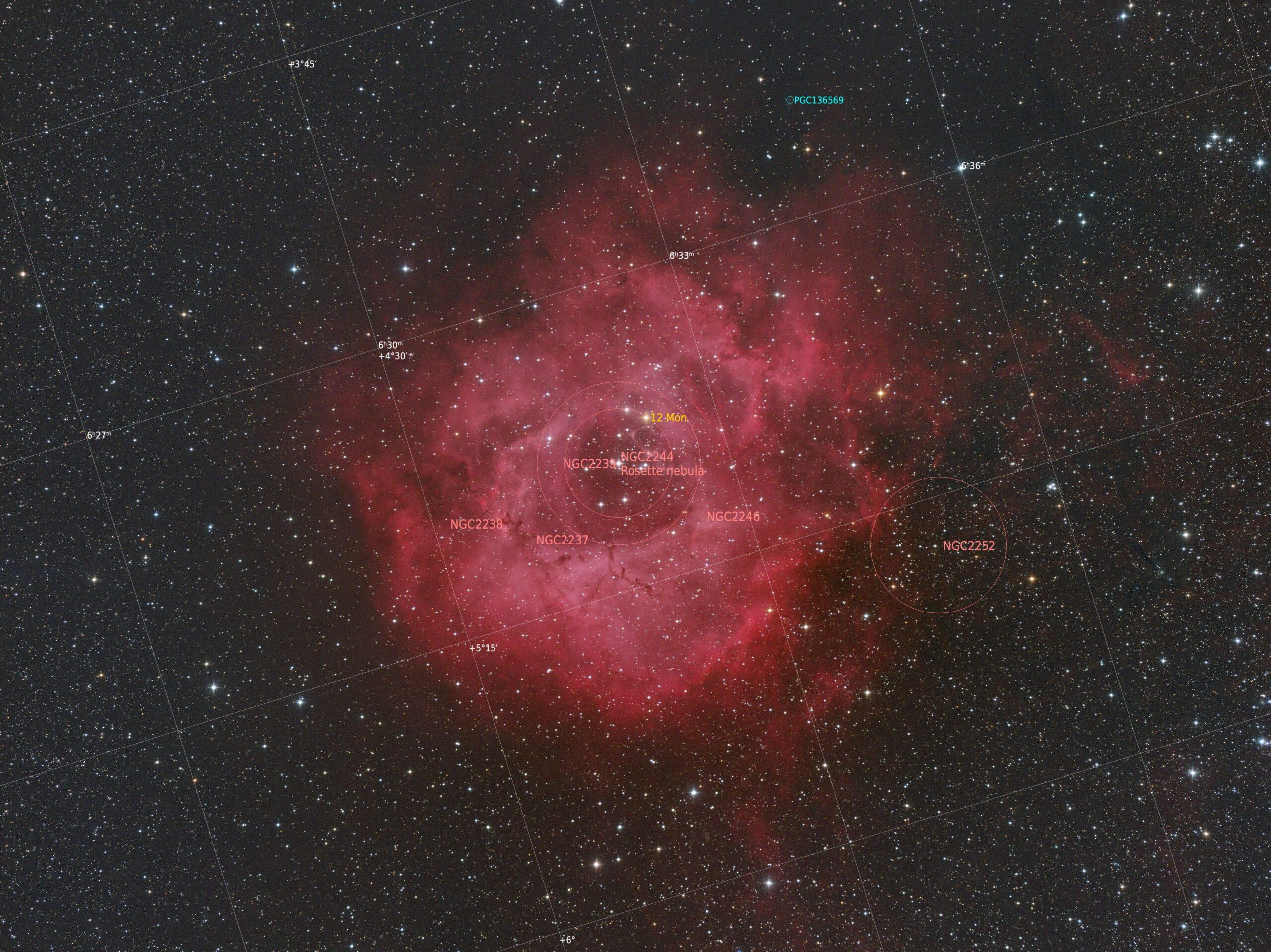
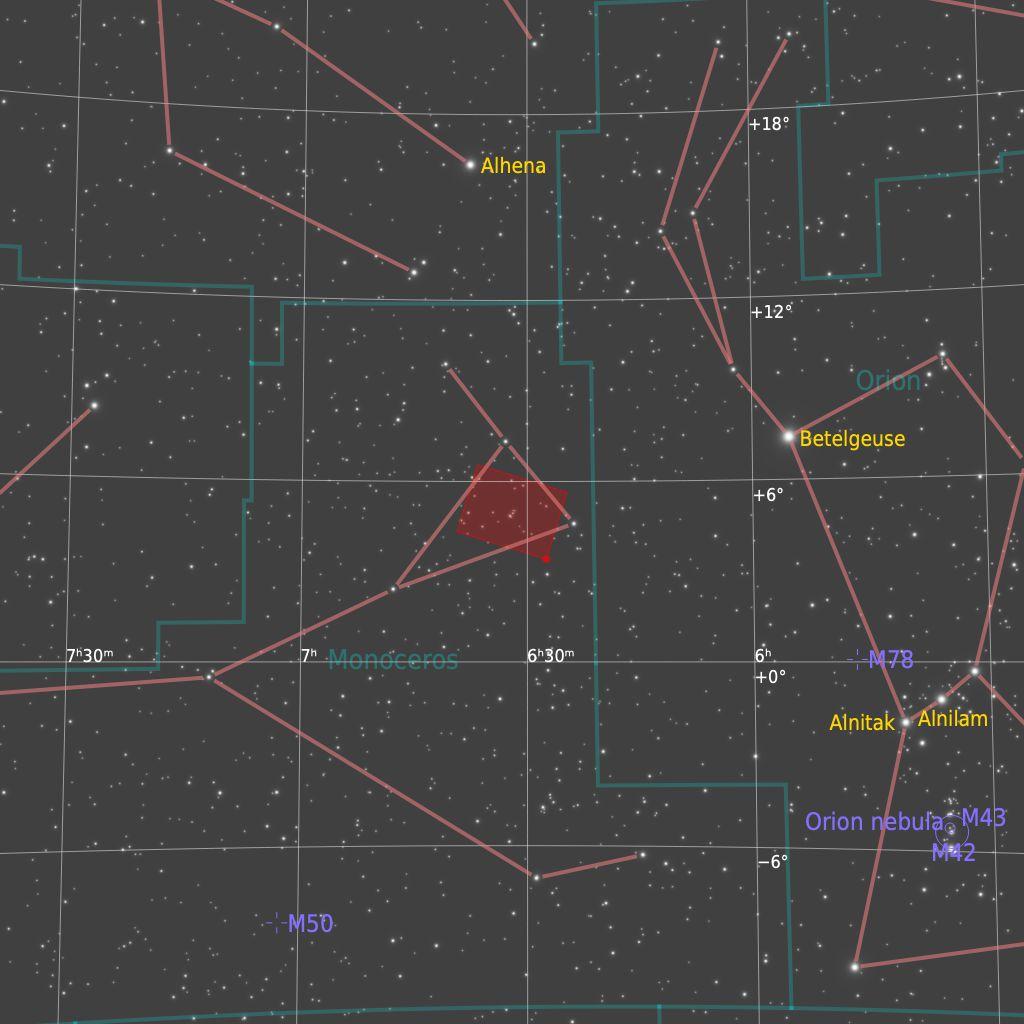
The Rosette Nebula is a huge emission nebula in the Orion arm of the galaxy located in the constellation of Monoceros. It is about 5500 light years away and about 150 light years across and stars are being born from the hydrogen that comprises the nebula.
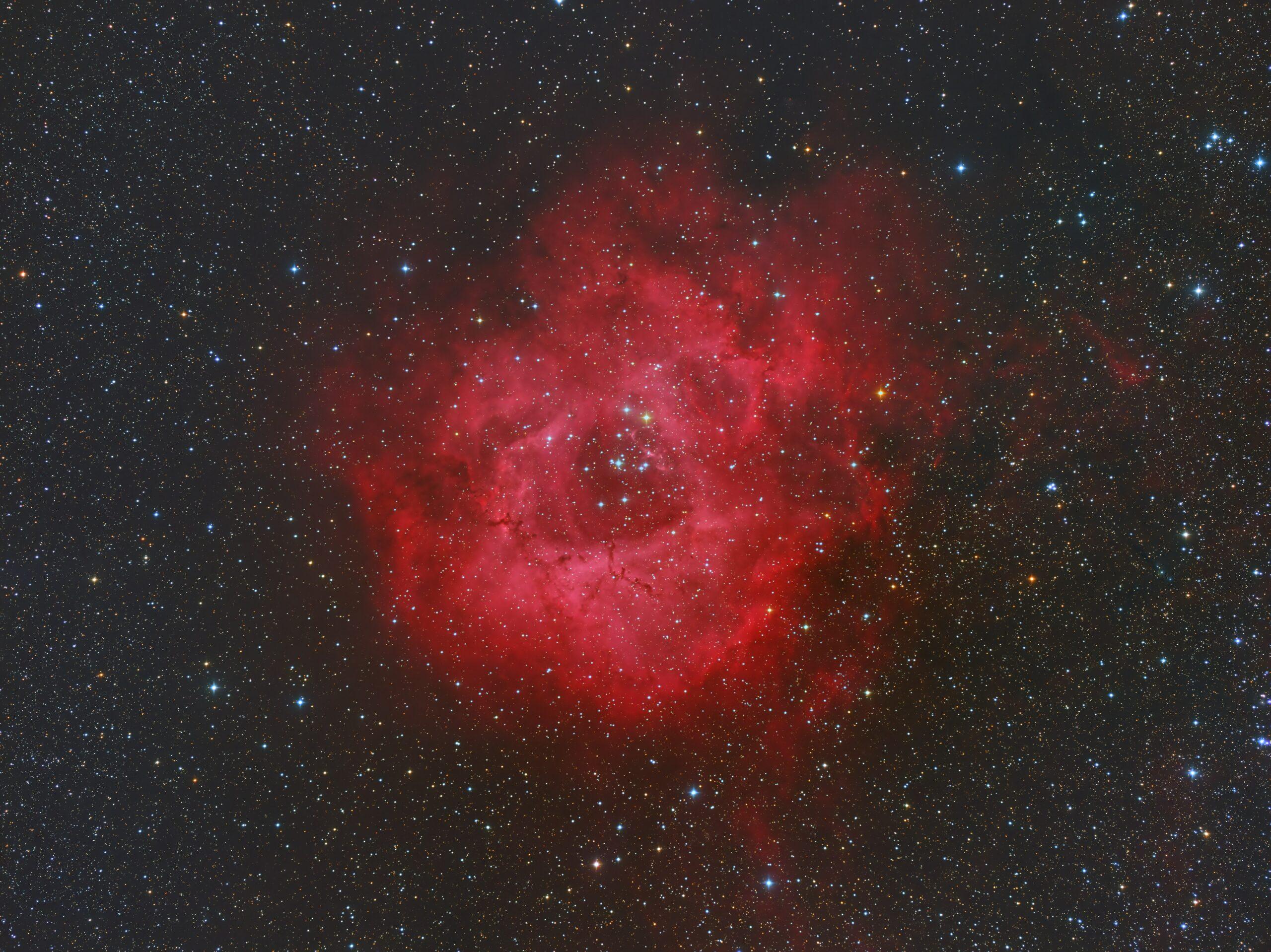
Image Technical Data
Imaged with Takahashi FSQ85 at native focal length with my Moravian Instruments G2-8300 cooled CCD camera and Astrodon RGBHa filters. Data collected from my backyard observatory on 8th January 2018.
Image data is as follows (Ha is 1x1 and RGB is 2x2)
Ha > 14 x 1200s ; Red > 17 x 300s ; Green 12 x 300s ; Blue > 20 x 300s

As can be seen above, the Ha image is extremely detailed and shows a huge amount of detail. This is 3.5 hours of exposures through the Astrodon 3nm Ha filter.

Above is the RGB only image which is binned 2x2. It is a good picture in its own right but it is a bit flat and lacks the pizazz and sparkle of the Ha image. It is the combination of the Ha and the RGB that creates the colourful and detailed main image at the top. There are many ways this combination can be achieved. Here, I did it all in PixInsight whereas on some other pictures I used PI and Photoshop. What I did here was when in the linear state used the emission line script to add the Ha data to the red part of the image. Then after stretching the images I used the NBRGB script to combine the images in the linear state.
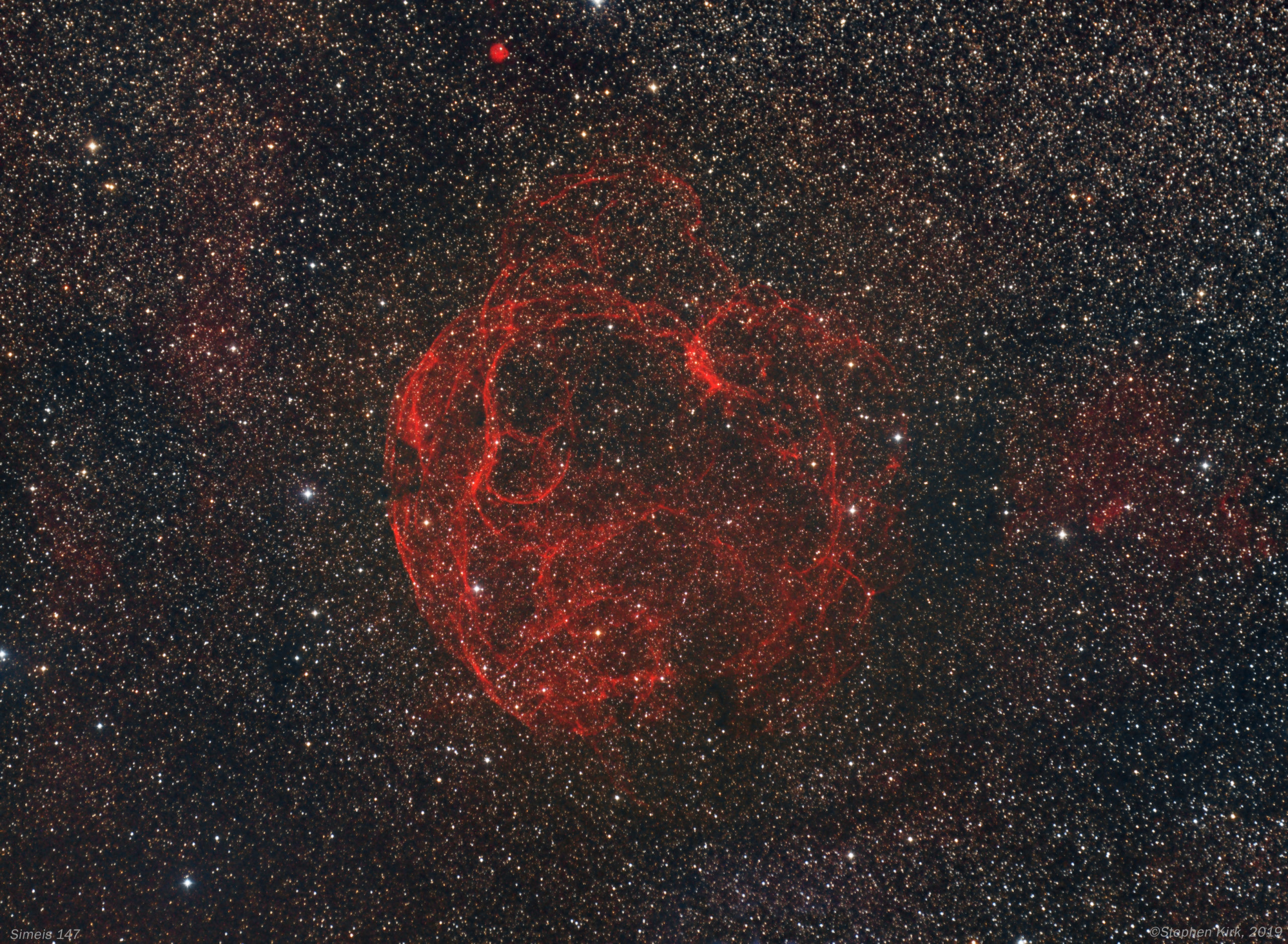
Simeis 147 (Samyang 135 mm)
Simeis 147 (Sharpless Sh2-240) sometimes called The Spaghetti Nebula is a supernova remnant of a star that exploded forty thousand years ago. It sits across the border of Taurus and Auriga and is a huge object, about six moon widths across. It is located about 3000 light years away. Because of its extremely low surface brightness it was only discovered as recently as 1952. It is an exceptionally difficult object to observe visually and to have any hope of seeing it with your own eyes at the eyepiece requires extremely dark skies (Bortle 1), specialist filters, immaculate seeing and transparency and extreme dark adaption of your eyes. This rules out almost anywhere near civilisation. Personally speaking, I have never known any astronomer who has seen it visually. Even with photography it requires very long exposure times to bring out any detail.

Image Technical Data
This image was created with my wide-field rig in my backyard in Nottingham UK (Bortle 5 on the dark sky scale) on the 20 and 21 December 2019. It is such a wide-field object that I used my Samyang 135mm lens and Moravian Instruments G2-8300 cooled CCD camera with Astrodon RGB and Ha(3nm) filters. This delivers a FoV of 8x6 degrees.
All exposures binned 1x1:
Ha (3nm) > 22 x 300s ; Red > 8 x 300s ; Green > 9 x 300s ; Blue > 10 x 300s
The total integration time is four hours so far and this is a rather short time for this object. More data would bring out finer structures in the nebula. As a result, I may revisit this at some point and add to the data set already acquired. However, the current result is not so bad for the limited amount of data so far captured. Simeis 147 is so faint that it can consume as much data as you can throw at it and I have seen images of it with 30,40 and even 50 hours of data!
The Image data is captured with Sequence Generator Pro and processed with PixInsight and Photoshop CC.
Other versions of this object often include an Oxygen channel (OIII) because supernova remnants are rich in Hydrogen and Oxygen. I may capture this channel too at some point.

Above is the RGB only data. As you can see, there is very little to show for the data collected. It is when you blend this RGB with the Ha channel data below - especially with the red channel - that the detail in the main picture in this post at the top is revealed.


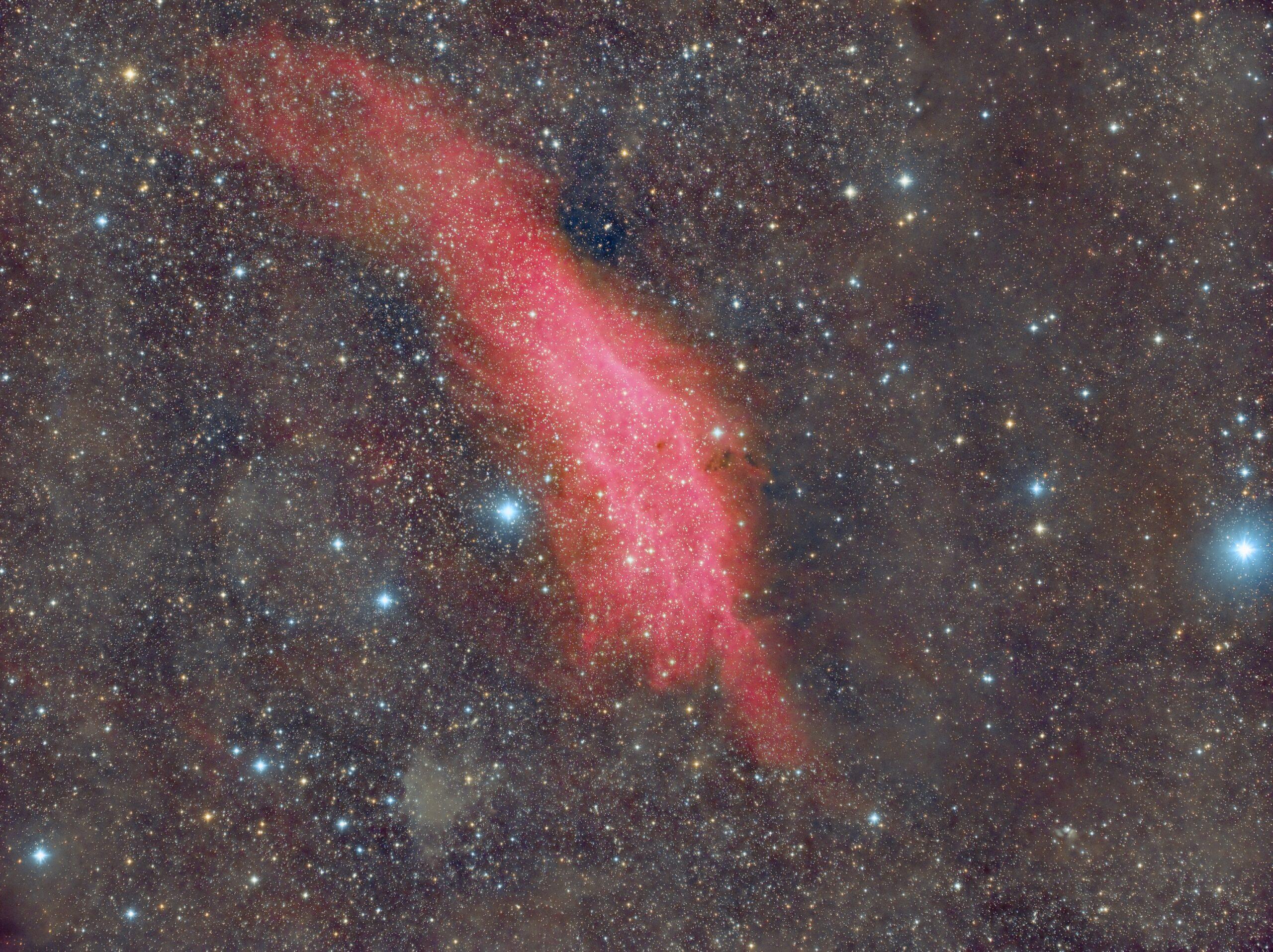
The California Nebula
The California Nebula - NGC 1499 - is a vast hydrogen gas emission nebula about 1000 light years away in the constellation of Perseus. It is named as such because of its vague resemblance to the US state of California.
It is a very large, faint and diffuse object, about four times the diameter of the moon. It is almost completely invisible visually without specialist filters and was not discovered until the advent of astrophotography in 1884. The nebula shines by reflecting the light of the bright star Markib. It shines red because Hydrogen atoms, when excited by nearby bright sources like stars, emit or re-radiate light at the 656nm wavelength which is in the red part of the spectrum to our eyes.

Image Technical Data
The California Nebula is so large that most telescopes cannot get the nebula in the field of view, nowhere near in fact. It is of course possible to create multi-panel mosaic images but these take a great deal of imaging sky time, something in very short supply in the UK rain and cloud infested skies! DSLR lenses are perfect for this type of wide field imaging, however. This image is almost eight degrees across by six degrees and was made with my wide field DSLR lens portable set up in my backyard, December 7th 2019. Samyang 135mm DSLR lens connected to Moravian Instruments G2-8300 cooled CCD camera and Astrodon E-series RGBHa (3nm) filters, all mounted on my Skywatcher NEQ6 mount.
All exposures binned 1x1:
Red > 14 x 300s ; Green > 8 x 300s ; Blue > 8 x 300s ; Ha(3nm) > 18 x 300s
To give a total integration time of four hours.
Captured with Sequence Generator Pro and processed with PixInsight.


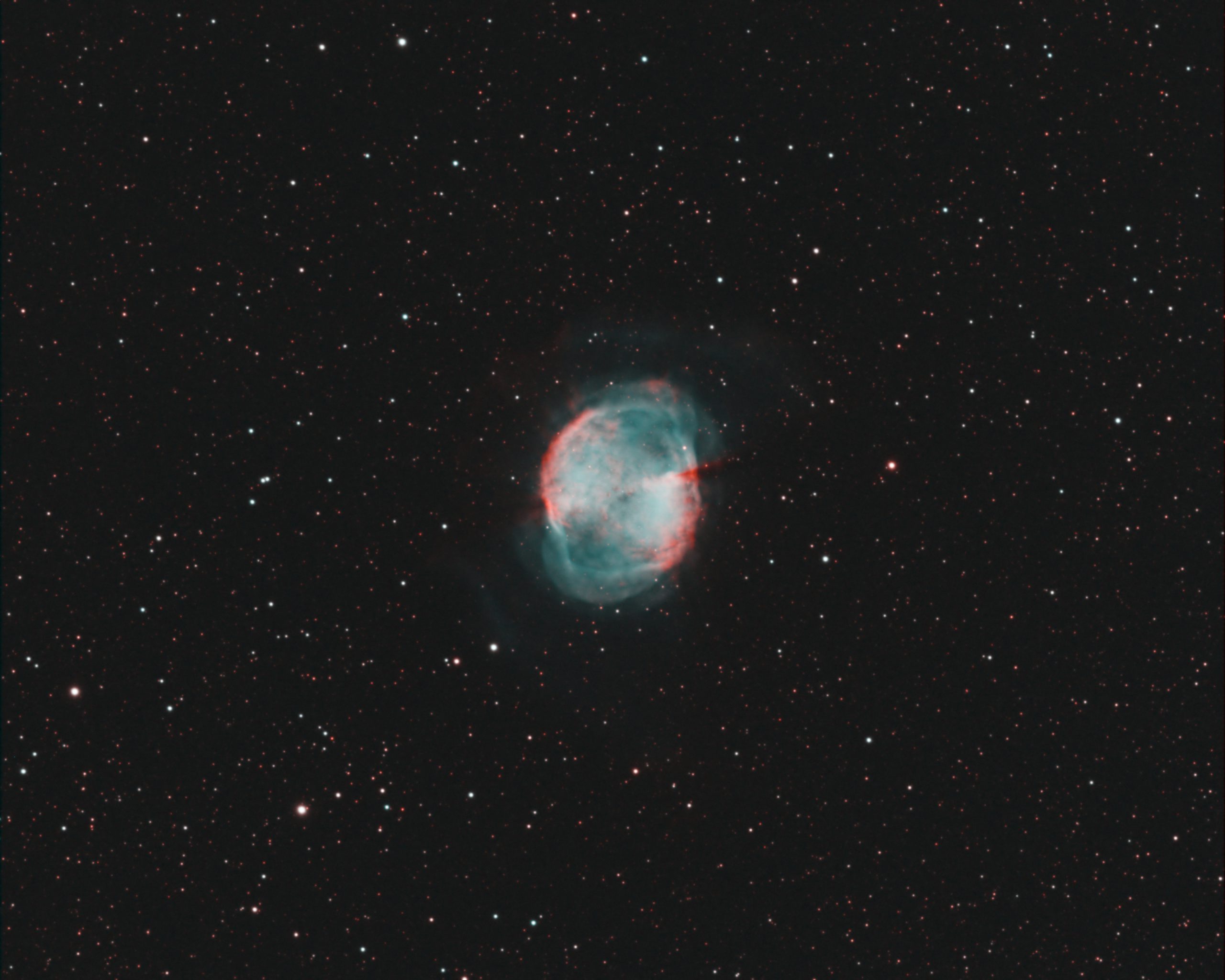
M27 in The Hubble "HOO" Palette (TEC140)
M27 is a famous planetary nebula in the constellation of Vulpecula, The Fox. Despite its name, it has nothing whatever to do with planets, it is instead the remnants of a dying star that has cast off its outer atmosphere when nuclear reaction can no longer sustain it. Our Sun will look like this in five billion years from afar.
M27 is a fine object to view through a telescope. I have also imaged M27 several times over the years. Here for example.
The rendition on this page shows M27 in the HOO or Hydrogen-Oxygen-Oxygen palette which maps the Ha channel to Red and green and Blue to OIII (Oxygen 3). Planetary nebula are rich in Oxygen since it is one of the elements synthesised in the nuclear fusion processes as the star dies.

Image Technical Data
Imaged from my backyard observatory in Nottingham, UK, August 2019. I used my TEC 140 refractor and Atik 460 CCD camera and Astrodon HA (3nm) and OIII (3nm) filters - very expensive filters too! This was all mounted on my MESU 200 and guided with my OAG.
All data is binned 1x1:
Ha > 18 x 300s ; OIII > 12 x 300s
This is quite a short integration but the result is quite nice I think. This is largely down to the utterly superb Astrodon filters and the extremely tight 3nm emission passband.
I did not blend the data Ha, OIII, OIII >>> one on one to R, G, B Insteads I used the following PixelMath formula:
Red > Ha(i.e. one to one)
Green > (OIII * 0.85) + (Ha * 0.15)
Blue > (OIII * 0.8) + (Ha * 0.2)
Then add them all together to give the colour result. Making only small changes to the formulae can make quite a large difference to the outcome and will emphasis the green, blue or red more depending on which colour formula you wish to adjust.
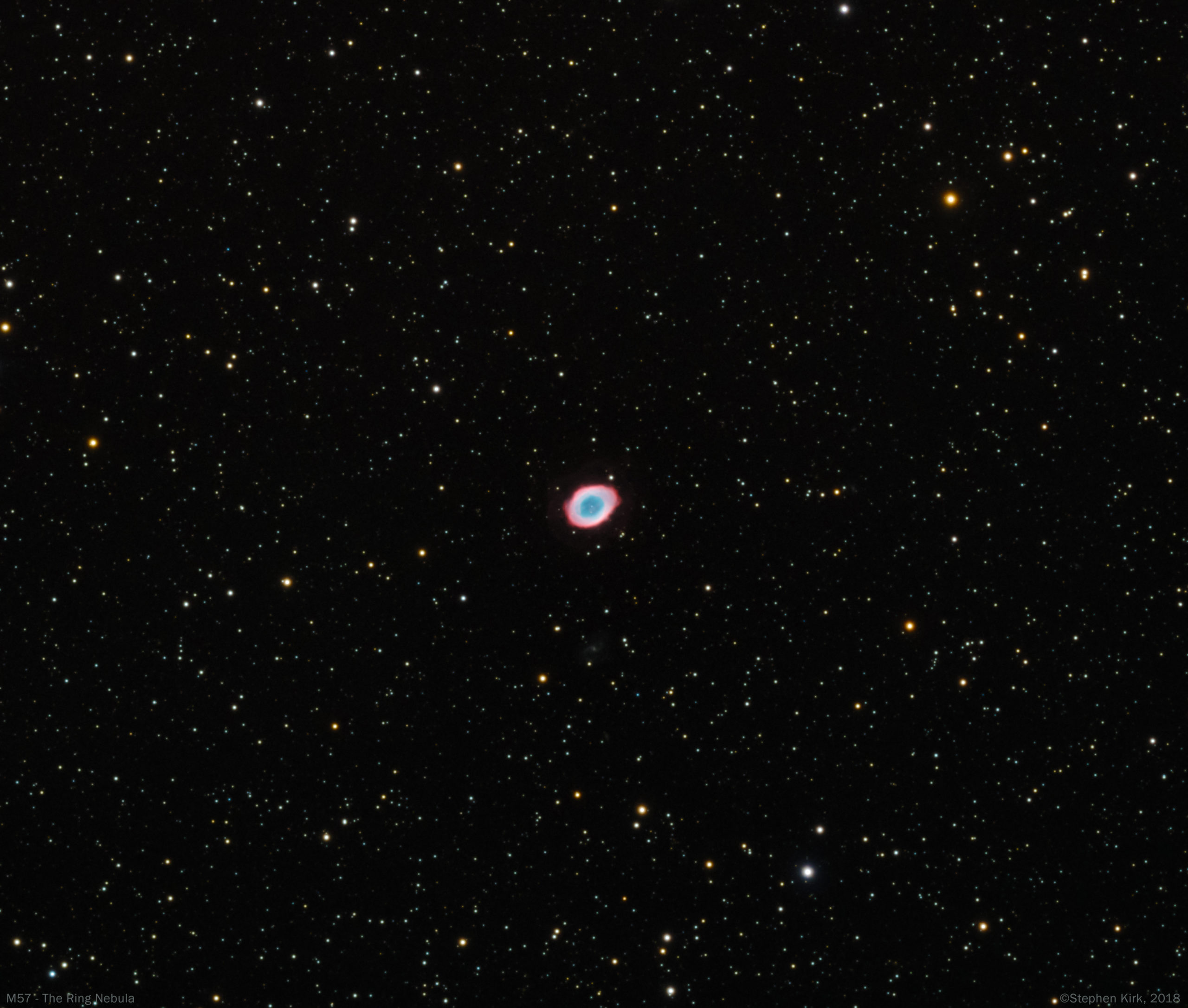
M57 - The Ring Nebula In Lyra - TEC140
A famous planetary nebula in the Northern Hemisphere of the sky in the summer constellation of Lyra. One of four planetary nebulae in the Messier catalog of deep sky objects, the other three being M27, M76 and M97. It is visible in a small telescope as a faint ring. M57 is about 2500 light years away and it is the outer envelope shed off by a dying star, the star itself can be seen right in the middle of the nebula. The Sun will look like this from afar when it does the same in about five billion years from now. More massive stars do not die in this fashion but explode in a cataclysmic event called a supernova; M1 being one such example.
In the image below, look for the ghostly outer ring surrounding the main "ring" of the nebula.

Image Technical Data
Imaged from my backyard in Nottingham, UK with my TEC 140 refractor and Atik 460 cooled CCD camera over three nights in August 2018 with Astrodon LRGBHa filters. mounted on MESU 200 and guided with OAG.
Everything binned 1x1
Lum > 13 x 600s ; Red > 12 x 300s ; Green 12 x 300s ; Blue > 12 x 300s ; Ha > 12 x 300s
Total integration > 6 hours )just over)
Captured with Sequence Generator Pro and processed with PixInsight and Photoshop CC.
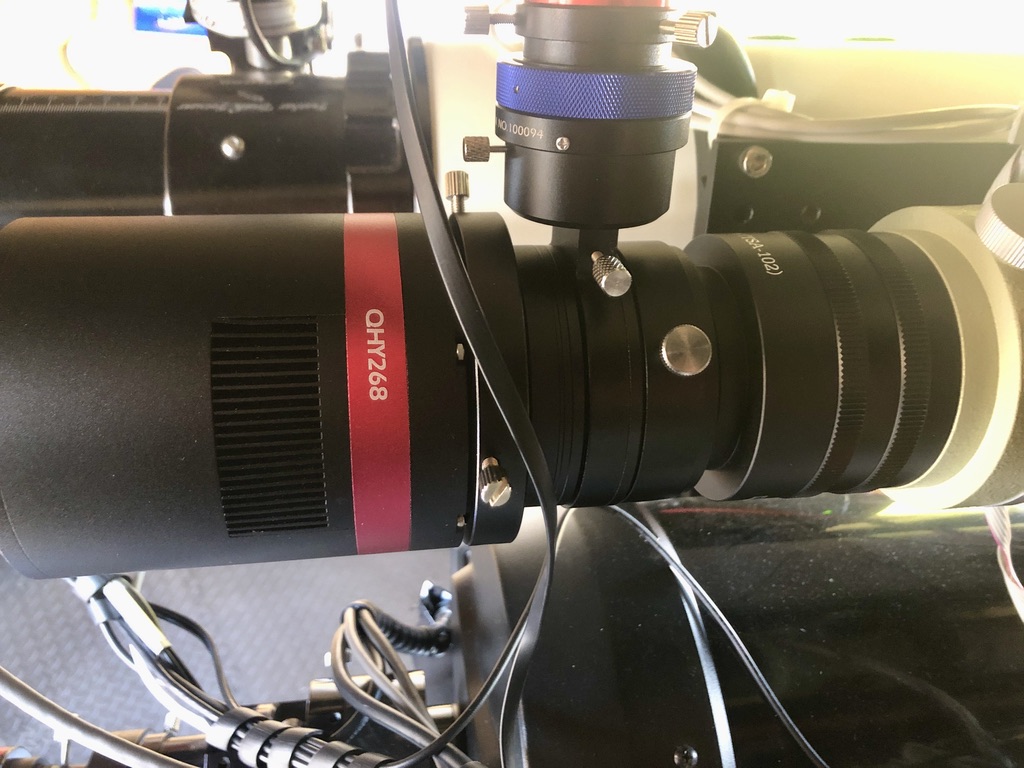
Connecting QHY268C/OAG To FSQ85 (none reduced) With An All-Threaded Connection
Introduction
I've bought a QHY268C colour CMOS camera and a QHYOAG-M as discussed in my post here. As I explain in that post, my intention is to connect this up to my Takahashi FSQ85 "BabyQ" and make it an extensible system so that with easy and minor changes I can also connect the camera/OAG assembly to my Williams Optics Redcat 51, Samyang 135mm lens and maybe other optical systems (although its primary use will be on the FSQ85). I also explain in that post how to configure the QHY268C and the OAG assembly such that both camera and guide camera can both reach focus simultaneously by "padding" out the camera side of the OAG with about 13mm of spacers between the OAG and the camera in order to get both cameras to simultaneously focus.
I now needed to determine a way to mount the OAG-QHY268C assembly via a threaded method to the FSQ (and Redcat). I do not like the 2" barrel compression method of attaching expensive camera assemblies to telescopes for imaging purposes (fine for visual). Your mileage may vary but in my opinion they are risky at best and can introduce tilt into the optical train. I have had them fall out before (fortunately caught by the USB and power cables). So in the context of this discussion it has to be a threaded method of attachment and furthermore this method must allow for the insertion of a 2" filter. I need to use a 2" IDAS light pollution filter in the imaging train because of my backyard Bortle 5 suburban skies so I needed to figure this out. Furthermore, this filter must be easily and readily changeable - possibly when set up at night - since I have plans to use this camera with a narrowband filter such as the Optolong L-Extreme.
Bear in mind when considering filters that even though the QHY268C is a OSC camera, there is nothing to prevent you from using a filter wheel between the camera and the OAG. This FW can be populated with an LDAS LP filter and an L-Extreme (and others). It would also serve to "pad" the camera back from the OAG to achieve the objectives I outlined in my previous post. However, for now I have exhausted the budget and do not wish to use a filter wheel. So I need to install a filter drawer into the imaging train, and I needed to figure out how.
NOTE: This mechanism I describe applies to the Takahashi FSQ85. I can't comment if it works on other Takahashi telescopes. One tends not to have multiple Takahashi FSQ telescopes ($$$$$$$) ! 
SECOND NOTE: The method I describe is the telescope at native focal length without the FSQ 0.73 reducer. I no longer use the focal reducer with this telescope and sold it.

The Crazy And Expensive World Of Takahashi Adapters.
As owners of Takahashi refractors will be very aware, if you want an all-threaded method of connection then several costly adapters are needed to get the telescope to focus with a camera. The focal point of the telescope is a quite a distance from the rear of the focuser housing - about 200mm or so in my example. Therefore, to get the camera to focus this space must be made up by racking out the focuser and also with adapters. The stock focuser with the FSQ85 does indeed rack out a long way, but not enough to make up for the 200mm distance to the focus point. It is never a good idea to have the focuser racked out too far because doing so can introduce a slight flop and sag in the focuser, a bad thing when imaging since the imaging sensor in the camera will not then be orthogonal to the imaging circle. With that in mind, the adapters I choose are such that the focuser is 80% into the focuser housing to minimise any flop risk.
As an aside, my FSQ85 example is from 2012 and has a good focuser but I have heard reports that the focuser on more recent examples are not as good and cause issues in the corners of the image. Indeed, I have heard where people have upgraded to a Starlight Instruments focuser at a cost of £700, rather a lot to have to pay on top of the already eye-watering cost of Takahashi FSQ ownership! 😱

Please refer to the top picture. The first adapters I have used are two Takahashi TKA31581 Vari-Ring Spacers, each of which adds 17mm to the imaging train. This has a 72mm male telescope side thread and ends in a 72mm female camera side. These adapters are not too expensive, about £21 each in the UK. So with two of them in series I am adding 34mm to the imaging train. You can add as many of these as you wish to get the back focus for a particular situation, hence the term "vari" in the adapter name.
As an aside, Instead of using the two adapters I used, you could instead use the Takahashi Auxiliary Extender (TKA23250) which extends the M72 female threads at the end of the focuser tube and presents a female M72 thread. This adds 50mm to the imaging train.
The next part in the imaging train is the CA35 TSA102 (TKA23201) adapter whose purpose is to drop the Takahashi 72mm thread from the auxiliary extender down to a more standardised 54mm thread. This adapter has a 72mm male thread on the telescope side and drops the aperture down to M54 female so that common accessories can be used. No other manufacturer that I know of uses M72 other than Takahashi so we need a way to convert from the Takahashi M72 to an "ordinary" system! The CA35 adapter is what does this and it also adds another 25mm to the imaging train. This adapter is more expensive at about £60. I told you these adapters were expensive !!!!!
NOTE: I already owned the above adapters a decade before I bought the QHY268C since most FSQ85 users will own them for other imaging requirements. However, they are additional to the purchase of the scope itself. Takahashi ownership is an expensive business!
Connecting To The Back Of The CA35 With The ZWO Filter Drawer (and rationale for going this route)
The adapters I explained in the paragraphs above are quite "standard" in the context of setting up a FSQ85 all-threaded imaging system. I now needed to work out how to connect the QHYOAG-M to the CA35 with a filter drawer. I also still needed to make up some distance in the imaging train to get to the 200mm or so needed to get the cameras to focus because even with the above adapters it is still short of the required distance to get the camera to focus.
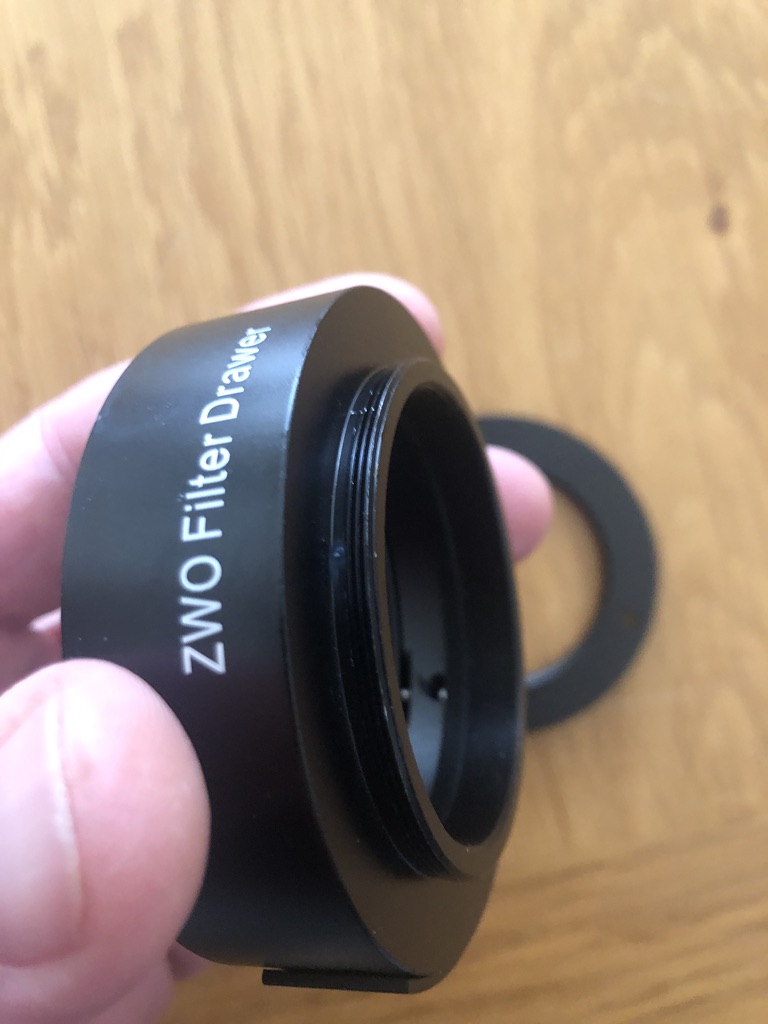
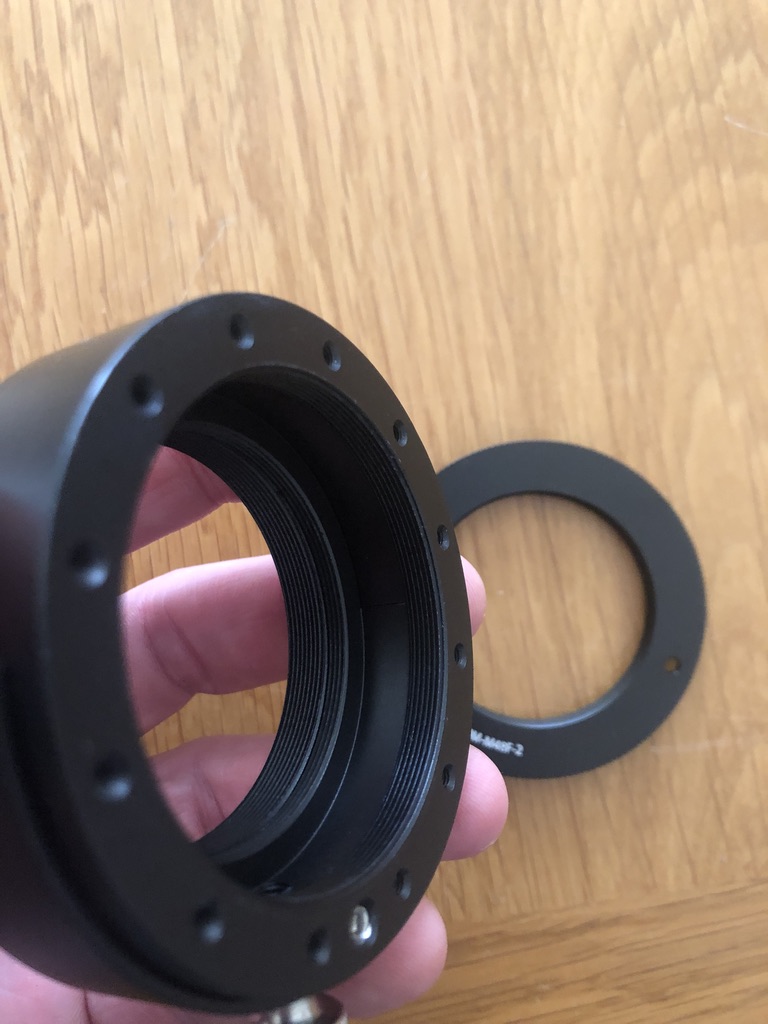
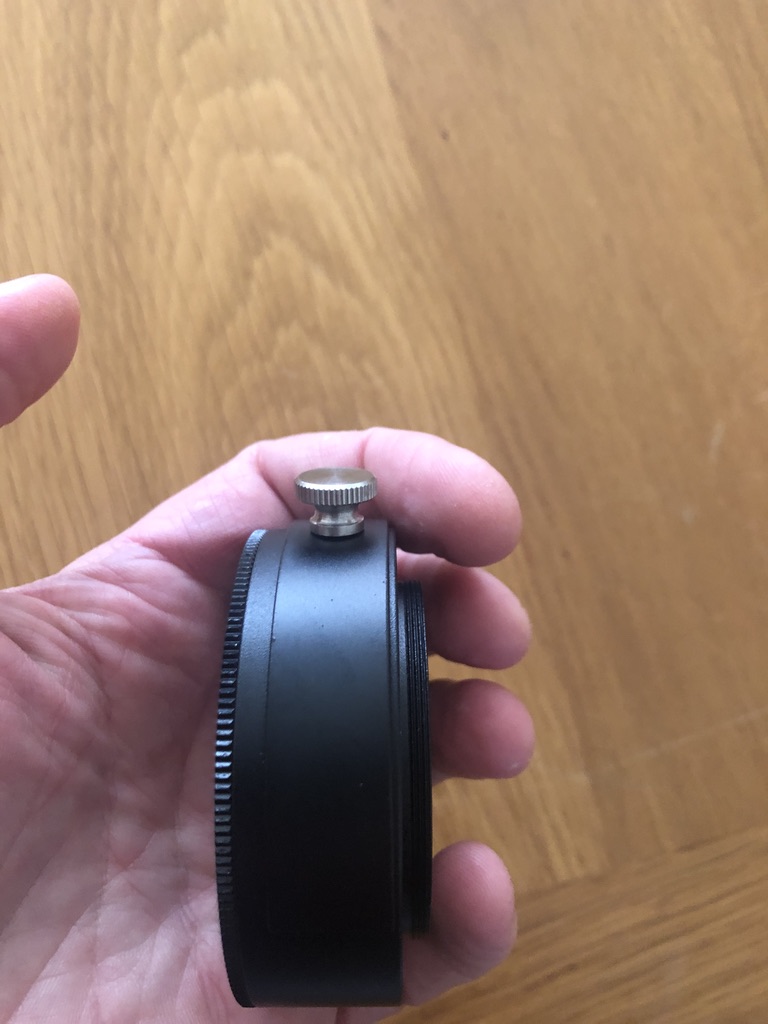
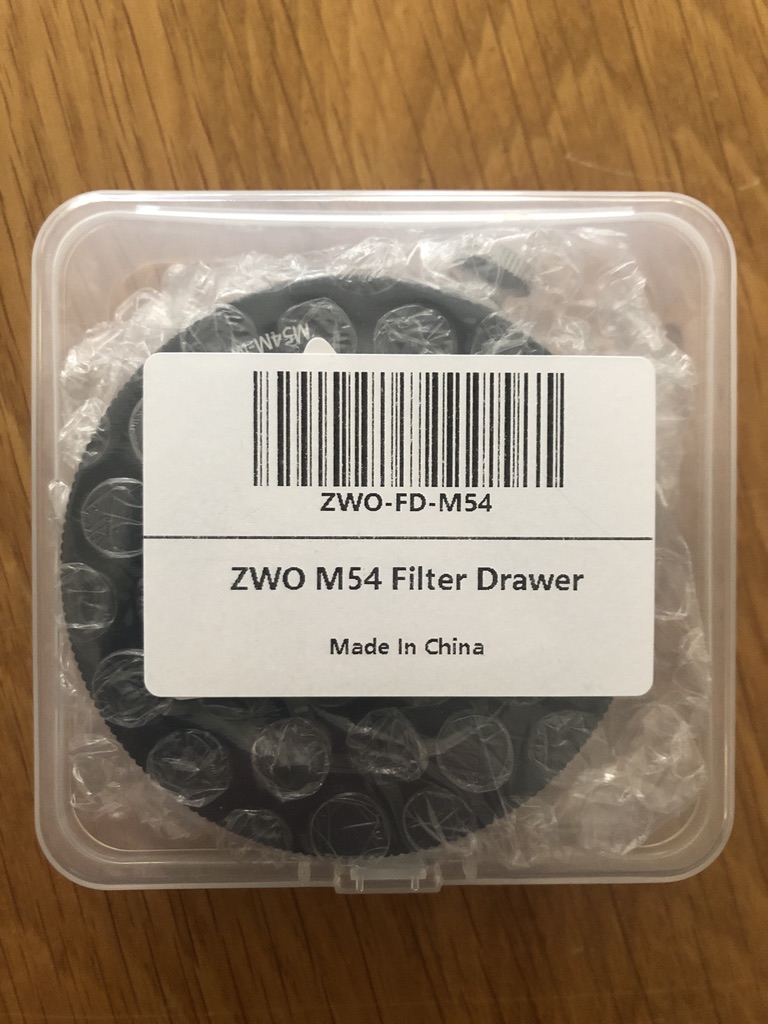
I need a way to be able to insert 2" filters into the imaging train, as discussed above. For sure, I'd always image in OSC with either a LDAS LP filter or a UV/IR cut filter in front of the camera. But I might want to image with a filter such as the Optolong L-Extreme filter too. This means whatever filter I use must be readily changeable when at the scope. QHY supply a spacer with the QHY268C that has a thread for a 2" filter and this can be used to space out the the OAG on the camera-side as discussed in my previous thread. The problem with that method is that it makes the filter difficult to get access to and change, not impossible but tricky and awkward, certainly so at night when, for whaever reason, you change your mind and need to image soemthing different! Another way is I could use a filter wheel between the OAG and the camera but I don't want to spend another £300 on this and have another device needing power/USB. So my thoughts were to use a filter drawer in front of the OAG.
ZWO make a filter drawer (£75) with a 2" compartment for filters and with M54 fitting scope and camera side. I need the filter drawer to have two male M54 threads on either side ideally ideally so that it can mount with the QHY OAG mounting plate and also the CA35 - both of which expose a female M54 thread. However, the ZWO is made with male M54 on one side and female M54 on the other, so I need to change the gender of one side  . Using a filter drawer like this in front of the OAG was a gamble in case I could not pick up guide stars through the filter. More on that later.....
The filter drawer has a slide-in compartment with a strong magnetic catch to keep it secure. The drawer is also provided with a very useful accessory; a M54 male step-down adapter to M48 female. As it happens, the Williams Optics Redcat also has a male M48 on which to mount a camera. So this makes a perfect system and I can kill two birds with one stone.
1. If I mount the ZWO filter drawer with the M54 female side facing the telescope, then I can use an M54 male to M54 male gender change adapter (Takahashi OU031) to connect the female side of the filter drawer to the M54 female thread of the camera side of the CA35 Takahashi adapter. The male side of the filter drawer then screws directly into the OAG.
2. If I want to mount the camera to the Redcat I remove the camera after the M54-M54 male-male adapter, install the screw-in ZWO supplied M54>M48F adapter and I can then mount the whole OAG/Camera/Filter drawer assembly to the Redcat :) Additionally with this filter drawer it will connect onto my Samyang/Rokinon 135mm lens that I have modified slightly with this adapter.
The ZWO filter drawer also adds 24mm of back focus to get us to our goal of 200mm or so to get the cameras focused.
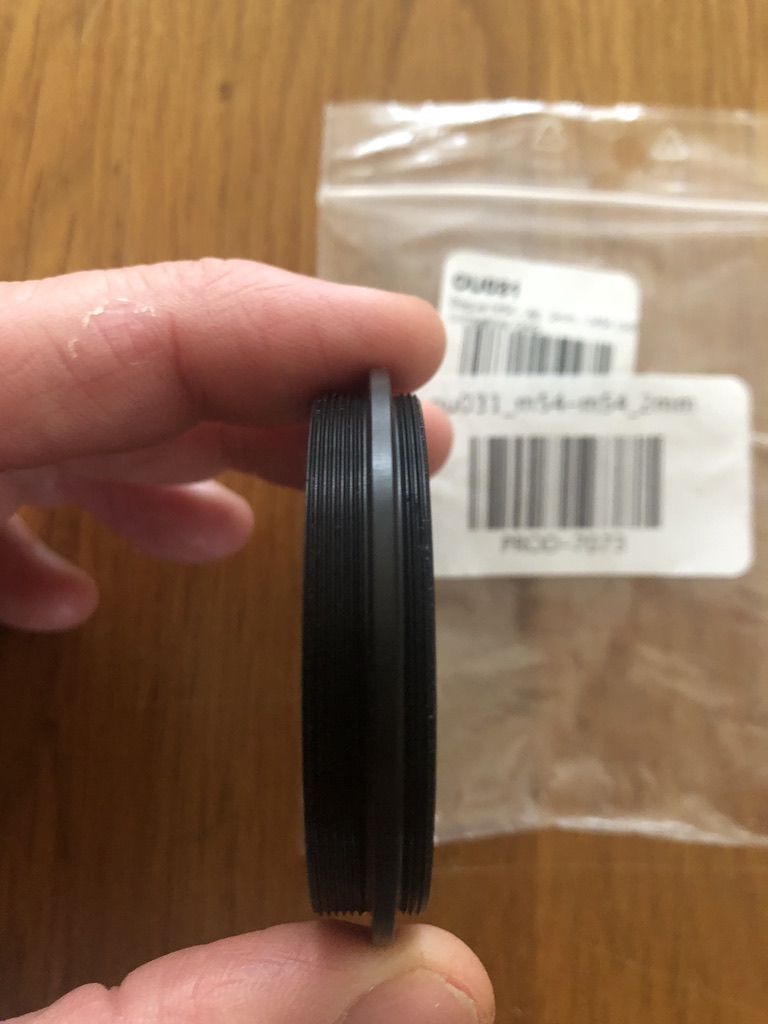
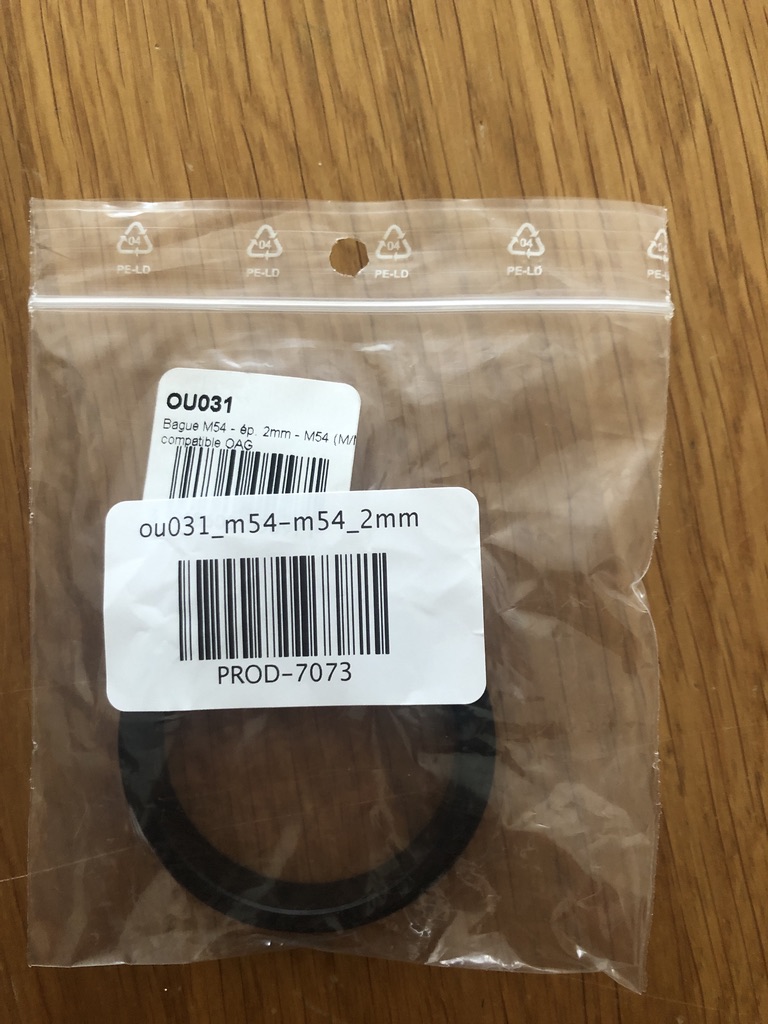
The Takahashi OU031 adapter above joins the female side of the ZWO filter drawer to the female side of the CA35. This simple adapter costs an astonishing £62 ! Other than make them myself I see little alternative other than to pay this exorbitant price.
The male (i.e. camera) side of the filter drawer screws into the M54 female telescope side of the OAG.
And there, we have a completely threaded mounting solution with QHY268C and the guidecam focused at the correct distance!
Will The Guidecam Focus ?
Clearly, the mechanism described has the filter drawer out in front of the OAG and the guidecam. In other words, the guidecam must look through the filter to find a guide star. This was a concern when I set up this arrangement, would guide stars show through? However, I can confirm that with a 2" LDAS LP filter installed the guidecam picked up stars without any problem at all. This will be by far my most predominant use-case for my QHY268C - 95% of the time I will be doing broadband.
Now, that said, I am interested in acquiring an Optolong L-extreme filter which only allows through some very specific narrowband emission lines. It will remain to be seen if a guidestar can work with this filter drawer arrangement and if a guidestar can be seen through the L-Extreme filter. If not, I will need to have a rethink and see if the L-extreme can be installed behind the OAG in some way on the occasions when I may want to capture narrowband through with this camera.
Update: 12 October 2020
The weather in the UK has been very cloudy and wet and since I authored this page and since then I have only had only snatched 15 minutes of clear sky time here and there; imaging in the UK is exceptionally challenging! However, on 11th October I managed to build a picture from 47 subs. Please see my first light post to read about this. A sneak peek on the image below :)
Update 2: 16 October 2020
I had an unexpected clear night, although the seeing was bad, and managed to get 55 x 4 minute subs of IC1396 - Elephant Trunk Nebula.
I think the camera is a good one and exciting times ahead with it hopefully :)
Clear skies, Steve
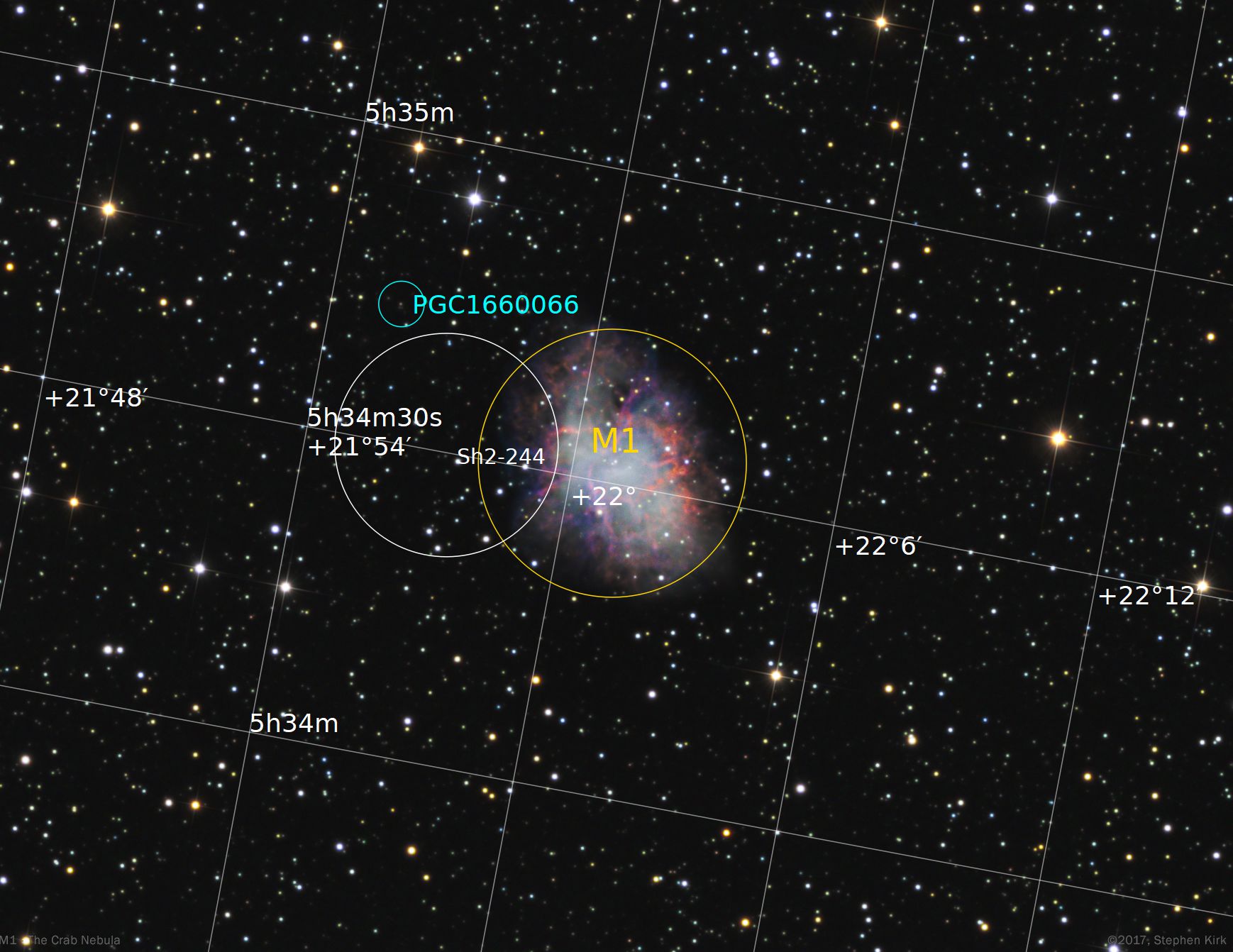
M1 - The Crab Nebula TEC140
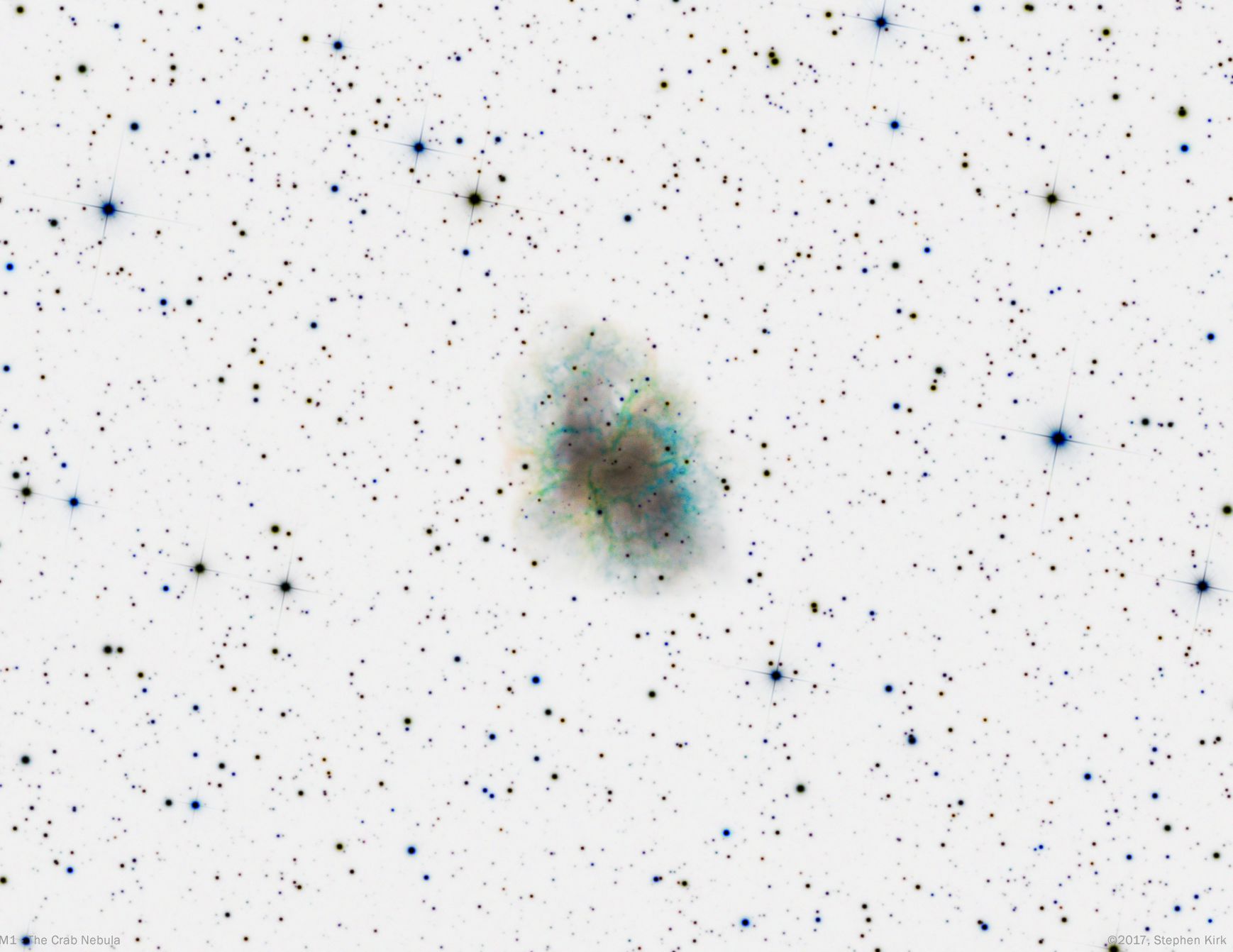
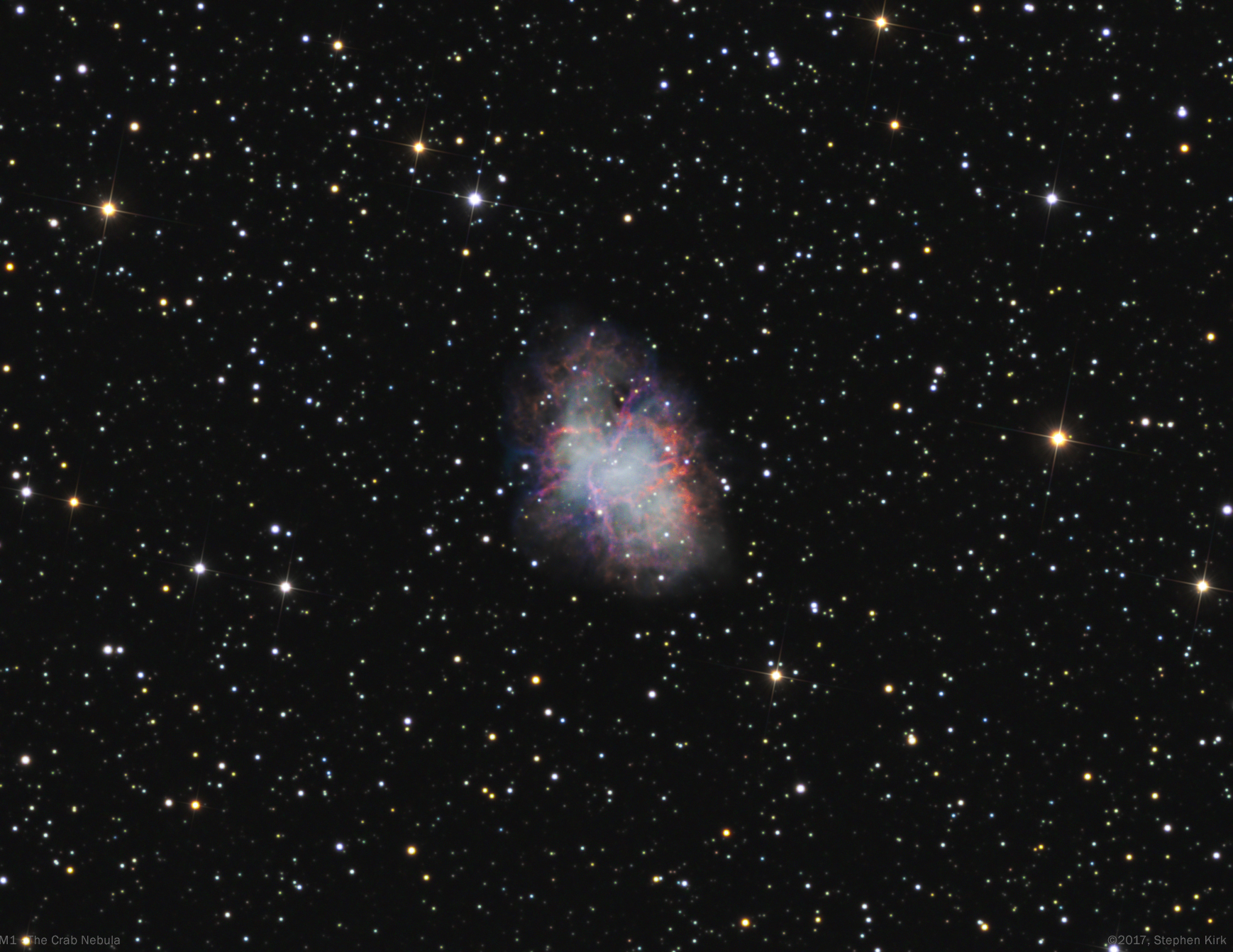
The Crab Nebula - M1 - is the expanding remains of a supernova that was seen in 1054 throughput medieval Europe, The Middle East and China. The nebula is very distant at about 6500 light years and lies in the Perseus Arm of our galaxy, further out from The Galaxy's core than The Sun. It is called The Crab because William Parsons from his Irish observatory who first viewed it in 1840 thought it resembled the outline of a crab and the name has stuck. The object was first observed in the 1731 and was linked to the Supernova of 1054 as recently as 1913. Earlier photographic plates from the 1950's and those taken today show a definite expansion in the nebula in the intervening 70 years.
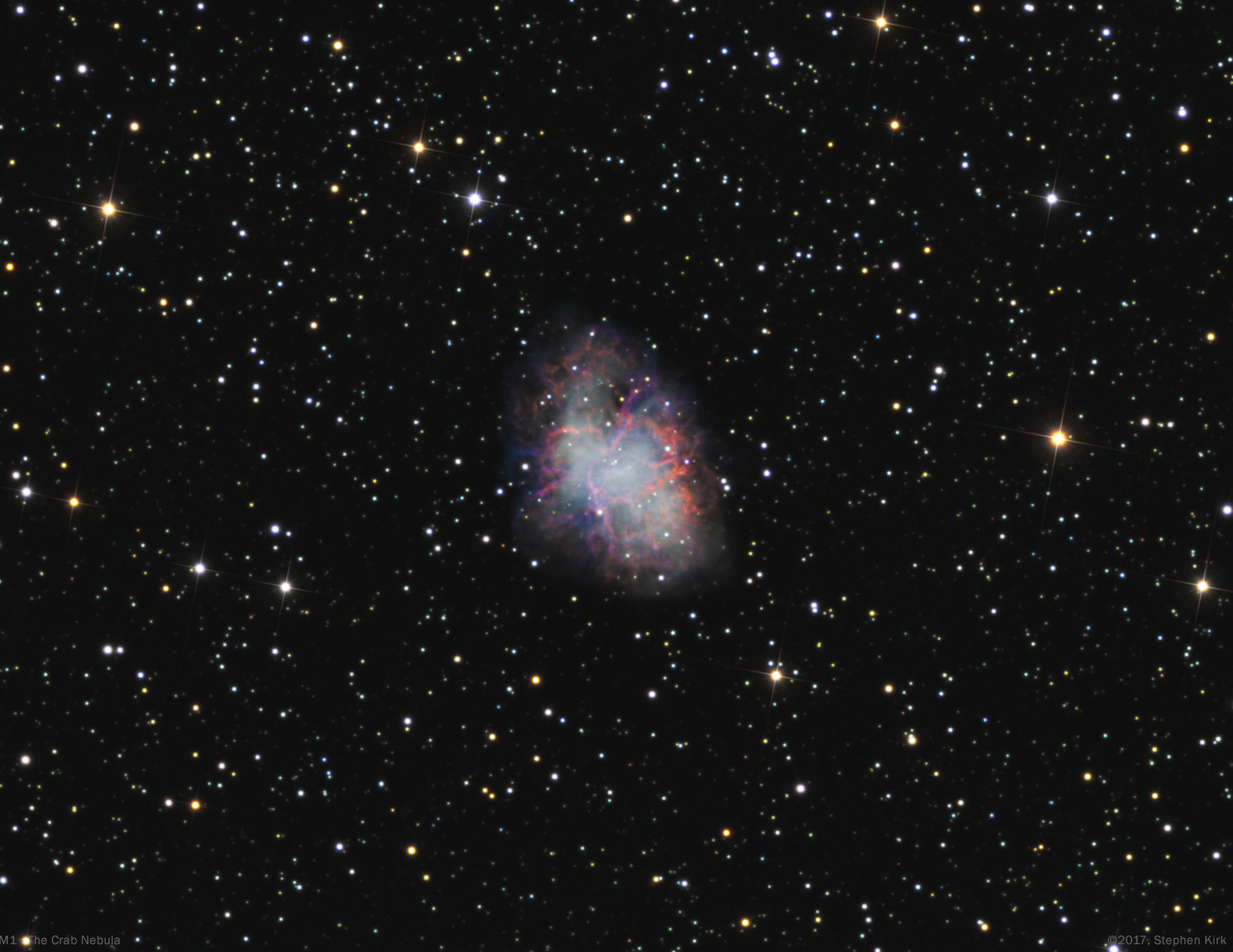
Image Technical Data
Imaged from my backyard in Nottingham, UK in the winter of 2017 with my TEC 140 refractor and Atik 460 cooled CCD camera and Baader LRGB filters. I used a NEQ6 mount guided with OAG.
All images data binned 1x1:
Lum > 10 x 900s ; Red > 15 x 300s ; Green 15 x 300s ; Blue > 19 x 300s
Image capture with APT and processing in PixInsight and Photoshop CC.